ChatGPT 4o Image Generation: Impressive, But Still Has Quirks
By Andrew Lane
Founder of Design Hacker
I’ve been experimenting with the new ChatGPT 4o Image Generation feature and wanted to share what’s working, what’s not, and how you can get the best results... especially if you're using it for real business visuals.
Spoiler: there’s serious potential here, but it’s not magic out of the box.
What Is ChatGPT 4o Image Generation and Why Does It Matter?
Unlike earlier image tools like DALL·E, this one is built directly into ChatGPT. That means you can stay in the chat, give it screenshots, brand specs, and context, and it will carry all of that into the image generation process. It’s conversational, and it remembers what you’ve told it.
For entrepreneurs, coaches, and creators who already use ChatGPT to write content, this unlocks a new level. You can now create branded graphics, infographics, and social visuals without jumping into another tool.
Real Test: I Used ChatGPT 4o to Create Client Visuals
I tested this with a real client, Heather’s Heroes, which has a fun comic book brand style. I gave the AI a few reference visuals and a basic prompt to create an ad graphic.
What came back was surprisingly good. It matched the color palette, energy, and visual style almost instantly. No tweaking needed. Just saved the image and dropped it into the draft campaign. For fast, social-ready visuals, this was a win.
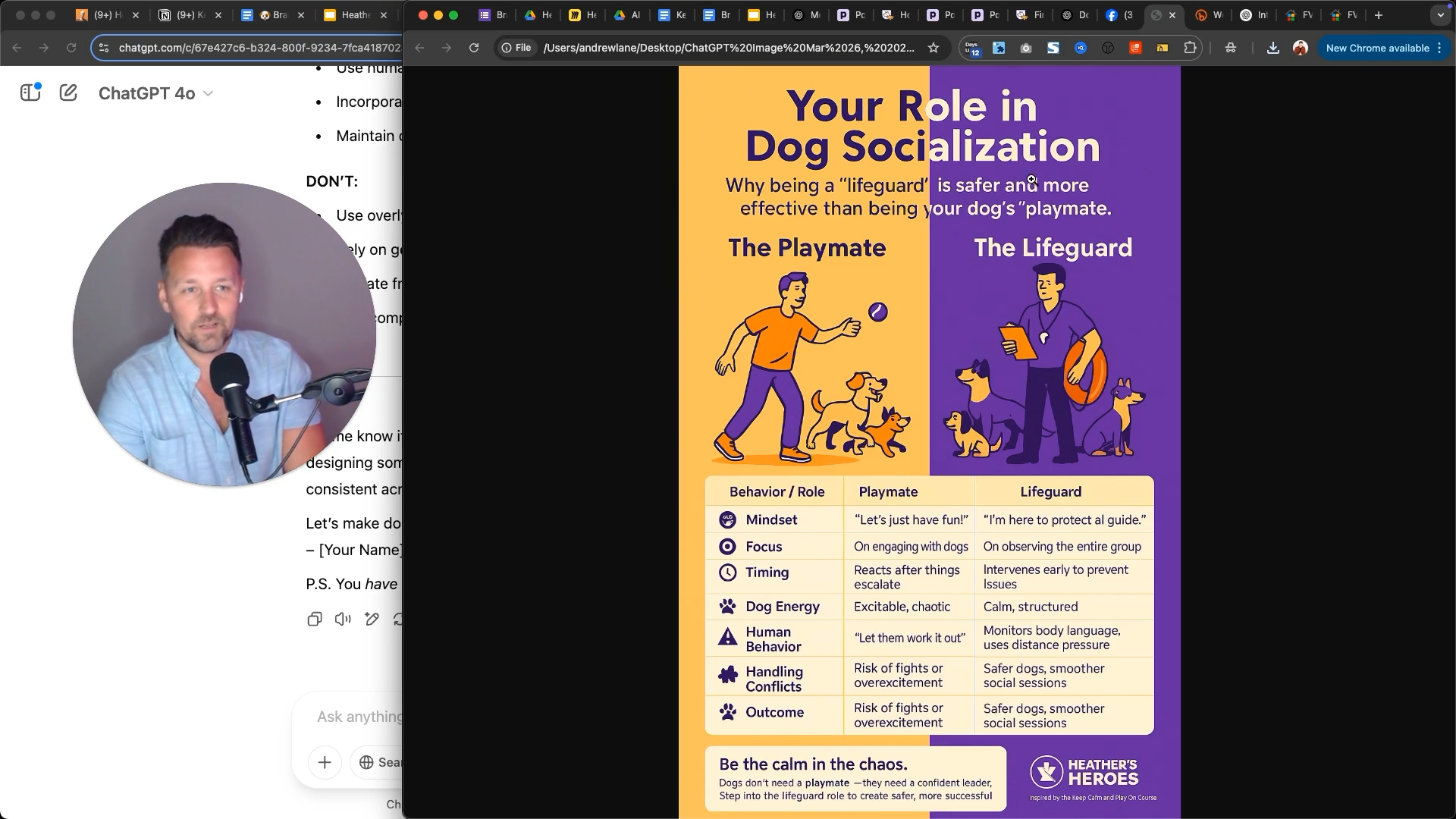
Then I tried something more complex: turning a messy table of data into a branded infographic.
That’s where things got interesting.
The Key Tip for Better Results With ChatGPT 4o
If there’s one thing I learned, it’s this:
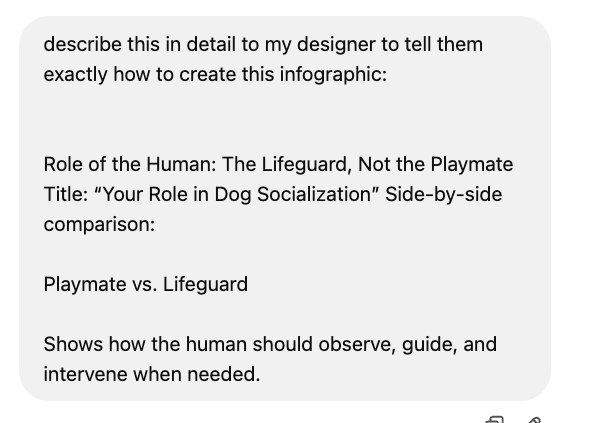
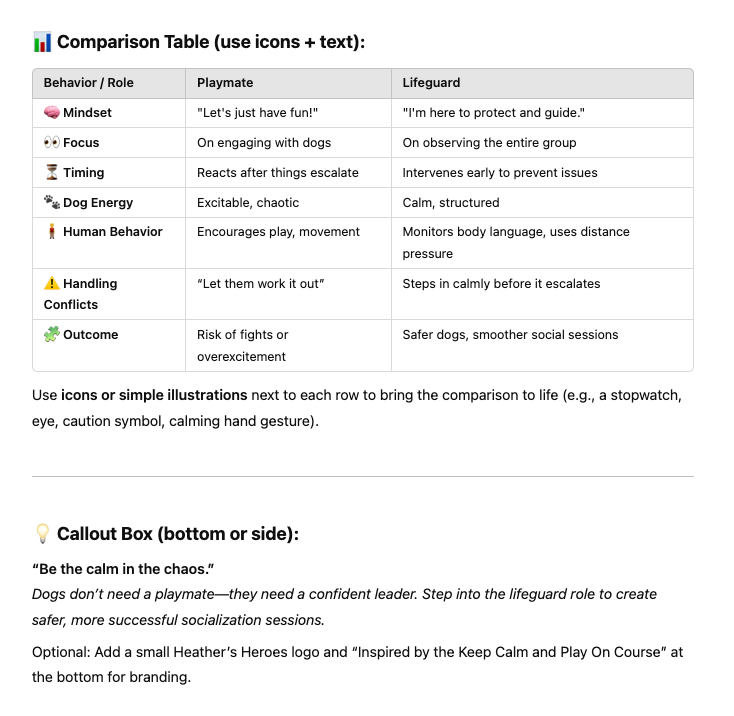
👉 Don’t start by asking it to generate the image. Start by asking it to describe the image in great detail first.
This is the most important step. Before you generate anything, have ChatGPT write a detailed description of what the image should look like. You can prompt it like:
"Based on this table and brand reference, write a clear and detailed description of an infographic I could send to a designer."
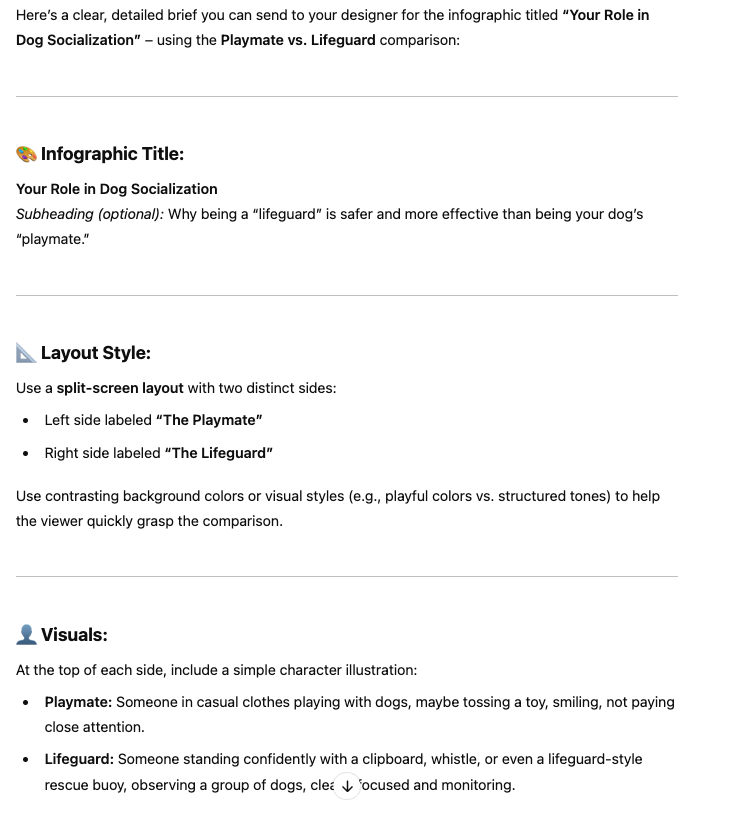
What it gives you is a fully written creative brief. And that becomes the prompt you reuse to actually generate the image.
I call this the "design assistant loop." You’re not just telling it what to make. You’re letting it think through how to make it. That one shift has made a huge difference in image quality and consistency.
Example:
The result became the prompt that I used:
Where ChatGPT 4o Image Generation Shines
Here’s what I found it does well:
→ Reads brand style quickly if you give it screenshots or reference images
→ Generates fast drafts for ads, flyers, and thumbnails
→ Understands conversational prompts like you're briefing a designer
→ Saves time by producing a starting point you can tweak
Where It Still Needs Work
Here’s what to watch out for:
→ Text often has small errors or awkward spacing
→ Layouts can be cut off, especially with longer or complex visuals
→ Detailed infographics sometimes drop important info
→ Editing specific elements is still hit or miss
So while it feels like you’re working with a fast, talented intern, it still needs oversight.
How to Use ChatGPT 4o for Branding and Content Creation
If you want to start testing this in your business, here’s what I recommend:
Upload screenshots of your website or brand visuals
Tell it your fonts, colors, and style vibe
Ask it to write a prompt or brief first
Use that prompt to generate the image
Give feedback like you would to a human designer
This approach gives you more control and much better outputs.
Final Thoughts on ChatGPT 4o Image Generation
This feature isn’t a total replacement for pro designers, but it is a powerful tool for fast content, mockups, and social visuals. If you're building an online brand and want to move faster without sacrificing style, this can absolutely help.
Use it right, and it becomes a real creative partner, not just a novelty.
– Andrew
🔥 RECOMMENDED TRAINING:
Turn ANY Idea Into a World-Class Brand Identity In MINUTES With AI
This 3-step system uses AI to build a complete brand foundation for ANY business in just a few clicks.

Hey, I'm Andrew Lane
Founder of Design Hacker
I’ve built multiple 7-figure brands from scratch over the past 15 years. Now I’m using AI to make that process faster, smarter, and way more fun. If you want your brand to feel premium without wasting months or thousands of dollars, then this is for you!