How to Build Your Brand 10x Faster with ChatGPT 4o Image Generation
By Andrew Lane
Founder of Design Hacker
Watch full video tutorial:
If you're building a brand right now, whether you're a course creator, service provider, or launching something new, there's a high chance you're stuck on the visuals.
Maybe you're tired of Canva templates that look like everyone else’s. Or you're playing with AI image generation, only to get results that feel... off.
That’s where ChatGPT 4o comes in. ⚡️
Instead of chasing one perfect image, you can use it to build an actual system. A library of brand visuals you can remix, reuse, and scale across your content, offers, and customer experience. After 15 years of doing this manually, I’ve never seen anything that lets you move this fast while staying true to your style.
Let me show you how...
Why Most AI-Generated Visuals Fall Flat (And How To Fix It)
Most people treat AI visuals like a slot machine. Type a prompt, hit generate, and hope something good pops out. But that approach leads to inconsistent results and frustration.
The better way?
Think in layers.

Instead of trying to get one perfect image, you want to build a visual system—pulling out elements you can actually reuse:
Fonts
Colors
Backgrounds
Stock images
Accent graphics
Mockups
Once you start thinking this way, you can generate everything you need to build your brand across digital, physical, and in-person experiences.
Quick Guide: How to Build Your Brand with ChatGPT 4o Step by Step
Start with a few keywords that describe your brand
Generate a mood board using ChatGPT’s image feature
Extract the fonts and colors from the mood board
Generate matching background images
Prompt ChatGPT to create stock photos with the same vibe
Pull out accent shapes or icons with transparent backgrounds
Combine everything into a brand system you can actually use
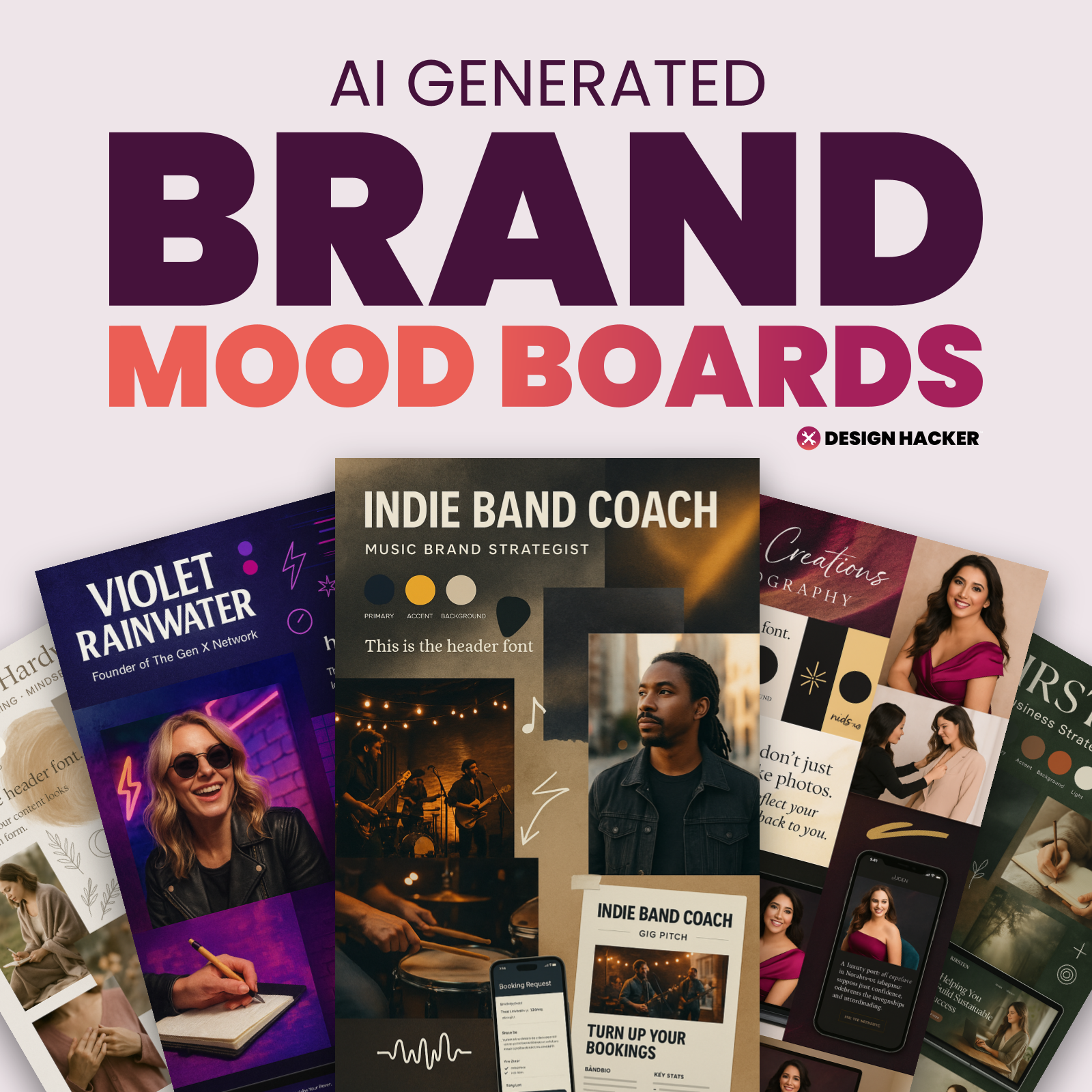
From there, you can start visualizing:
Your offer page
Your lead magnet
Your homepage
Your emails
Your social content
Your testimonials
Even your in-person or physical brand moments
All from the same visual foundation.
If you want help generating your mood board and building your brand visuals step by step, I’m putting together a full set of prompts, templates, and walkthroughs. These are the exact tools I use to create brand systems 10x faster with ChatGPT 4o.
⚡️ You can sign up to get early access at BrandWithAi.com.
Full Walkthrough: Building a Brand System with ChatGPT 4o
Once you generate that first mood board, ChatGPT becomes your assistant. You just have to know how to direct it.
Here’s what I do step by step.
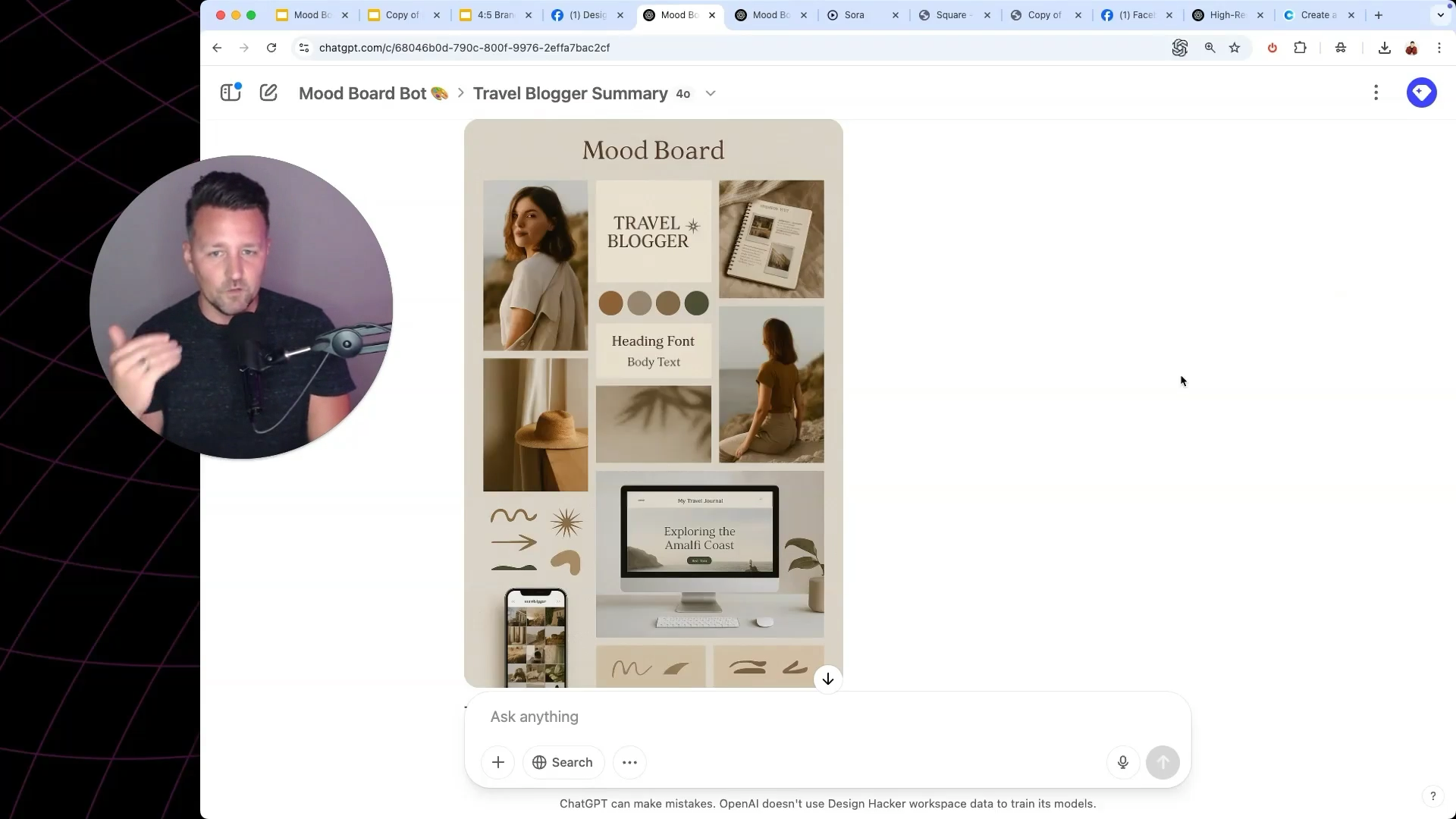
1. Generate a Mood Board
Start by creating a vertical mood board that captures the overall vibe of your brand. This is your visual foundation. It should reflect the tone, style, and energy of your brand at a glance... before you touch any colors, fonts, or mockups.
🧠 Basic Mood Board Prompt (Quick Version):
Create a vertical 2:3 mood board collage that captures the full identity of a personal brand or small business.
Show the brand’s tone, style, audience, and vibe through layered visuals. Include a mix of brand colors, typography, textures, lifestyle imagery, and a few real-world mockups (like a website preview or social post layout).
The goal is to visually tell the brand’s story (how it looks, how it feels, and how it shows up in the world). Keep the layout clean, emotional, and scroll-stopping. Use real design logic, not random inspiration.
Feed ChatGPT a few words that describe your brand’s style, audience, or vibe. You don’t need to overthink it. Something like:
“Minimalist skincare brand for busy moms. Calm, clean, confident.”
ChatGPT will give you a visual mood board. You might need to try a few times, but you’ll know when it clicks.
Want the advanced prompts I use to get pro-level results?
Sign up here → www.BrandWithAi.com
2. Extract Fonts and Colors
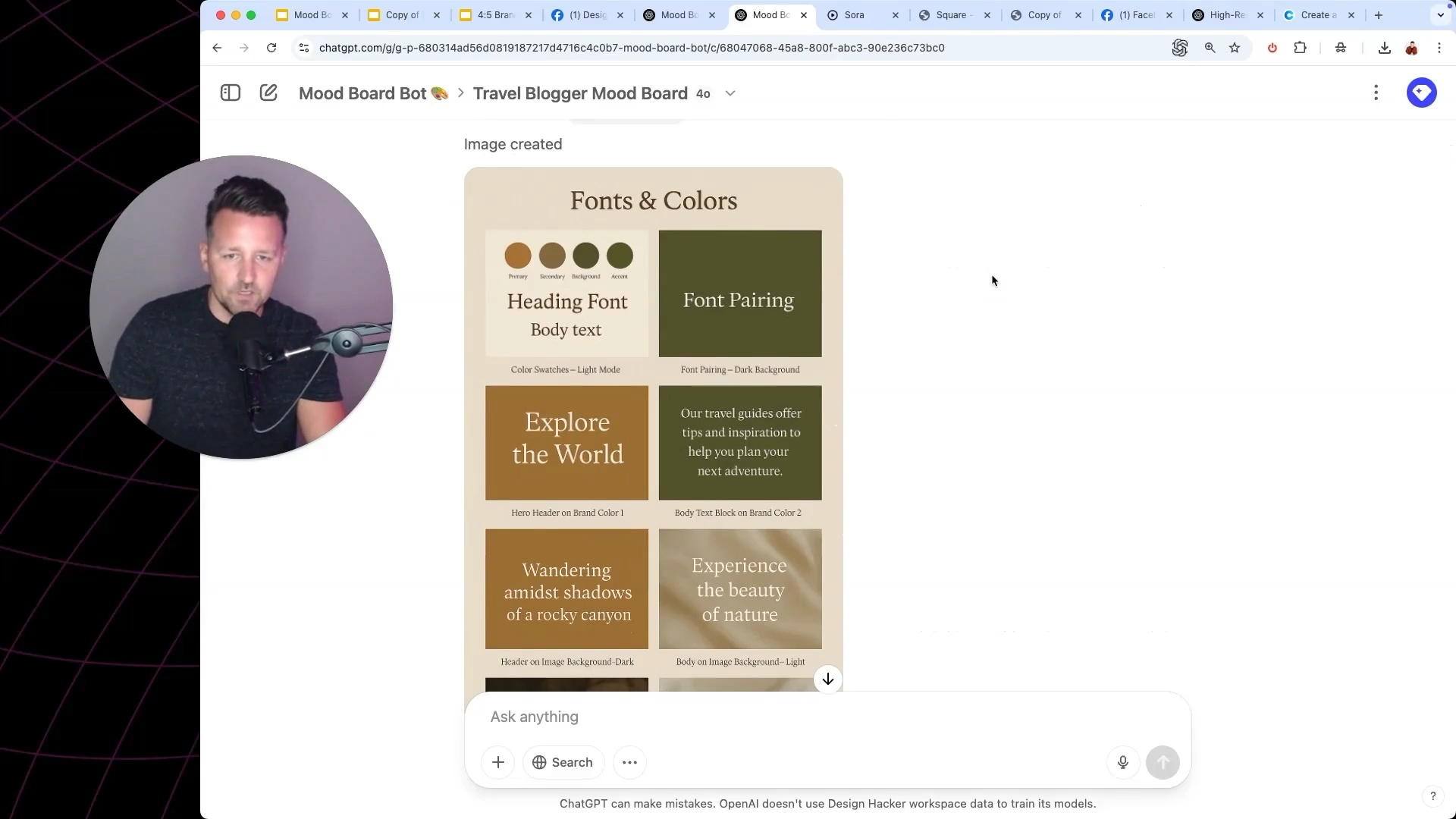
Once you’ve got the vibe, upload the image and ask ChatGPT to extract the fonts and give you Google Font matches. Same with colors... just ask for hex codes and keep it simple.
🅰️ Extract Fonts Prompt:
Analyze this image and show me sample text using the closest matching Google Fonts for both headers and body text. Use clean formatting on light and dark backgrounds. (upload mood board image)
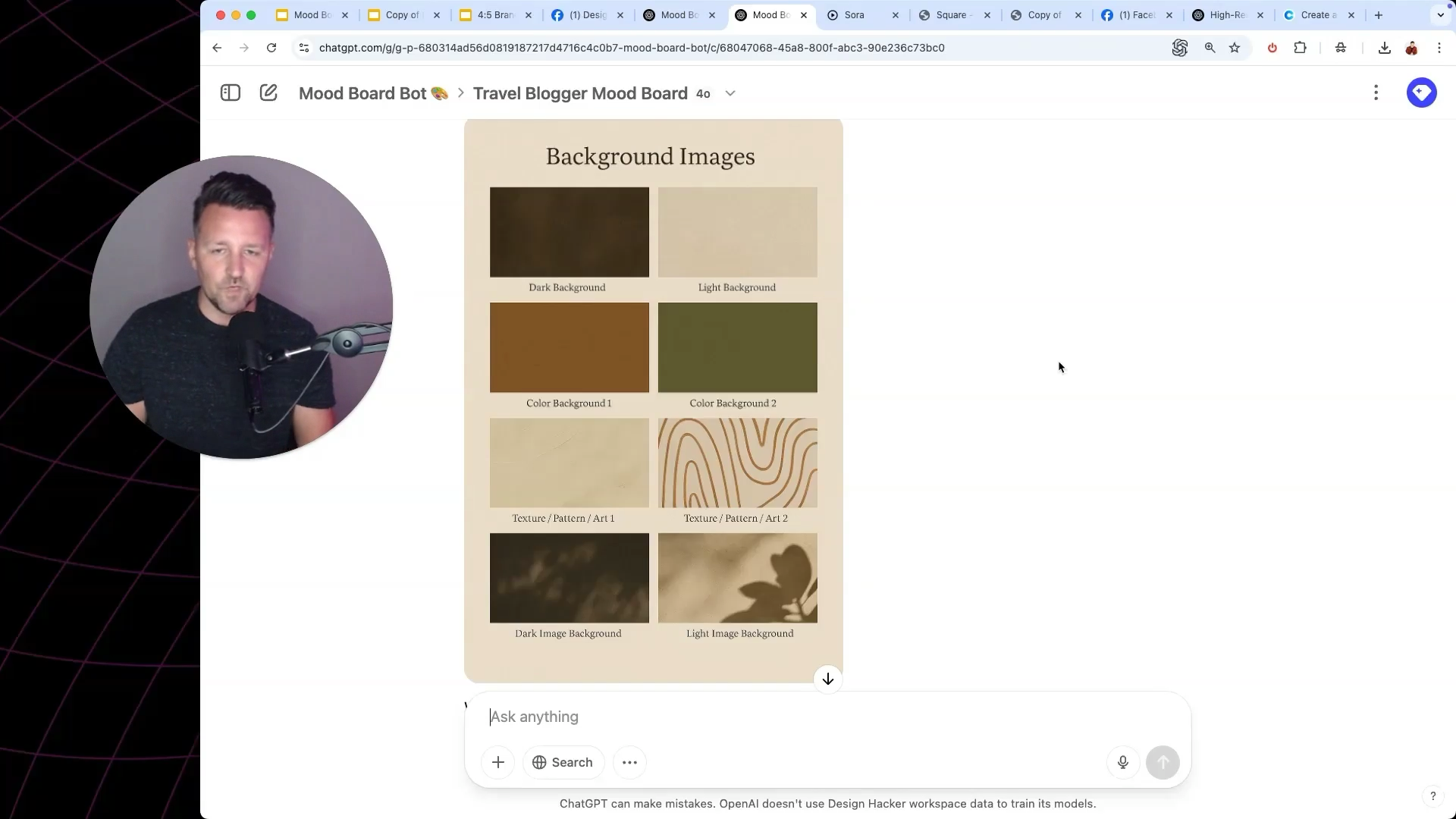
3. Create Background Images
Grab a screenshot of the background area in your mood board and tell ChatGPT to recreate it as a high-res 16:9 image. Then ask for a 9:16 version for vertical content.
🖼 Extract Background Prompt:
Based on this image, generate a high-resolution 16:9 background that matches the brand’s tone and style. Use abstract texture or atmospheric visual elements. Avoid text or logos. (upload mood board image)
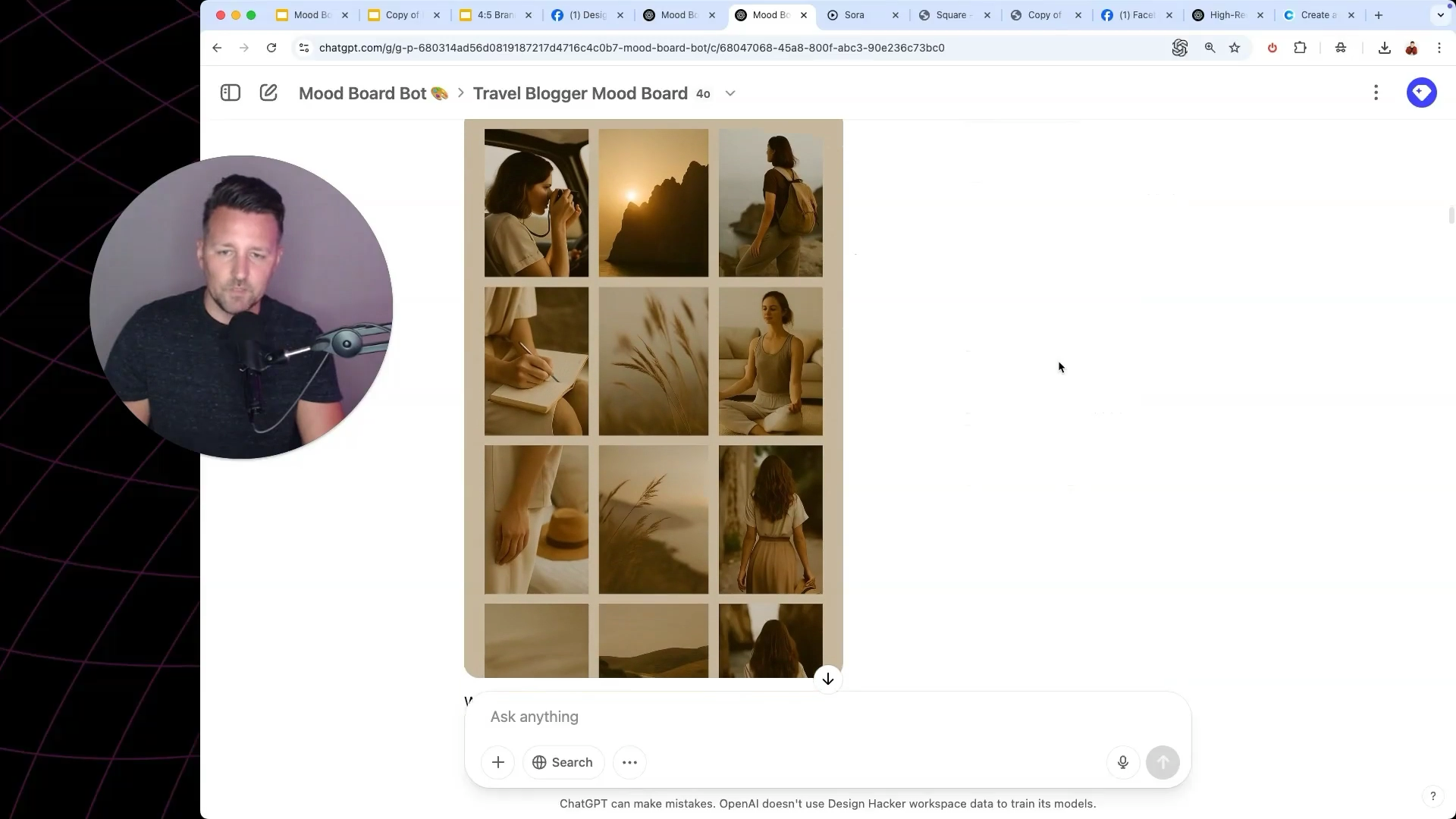
4. Generate Stock Photos
Once ChatGPT understands your brand style, you can prompt it to generate stock photos that match. These don’t need to be literal—they’re meant to reinforce your vibe.
Example prompt:
Create a vertical stock photo that matches this mood board. (upload mood board image)
📸 Stock Photo Style Prompt:
Generate a vertical lifestyle photo that matches the brand tone in this mood board. Show a natural scene or in-motion moment that would feel on-brand for a personal brand or content creator.
📷 Stock Photo Idea Prompt:
Based on this mood board, give me 10 on-brand stock photo ideas. Include natural scenes, lifestyle moments, or objects that match the brand’s tone, audience, and aesthetic. Each idea should feel like part of the same world as the mood board.
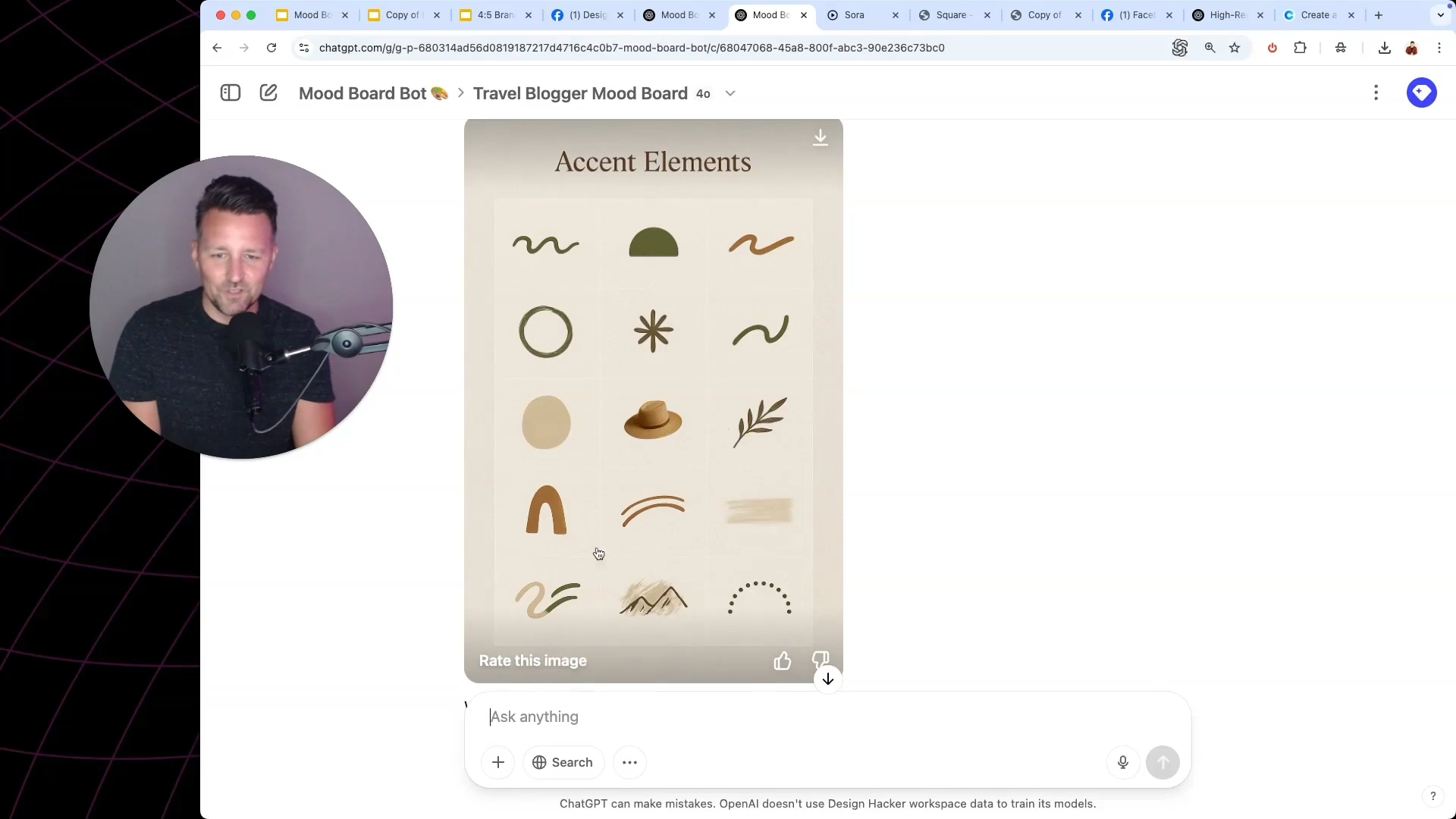
5. Design Accent Graphics
Use ChatGPT to pull out simple shapes, lines, or icons from your mood board. Ask it to create transparent PNG versions. These are perfect for adding flavor to your visuals without overcrowding them.
✨ Accent Graphic Prompt:
Extract this visual element and recreate it as a high-resolution transparent PNG. Keep the shape and texture the same but remove the background.
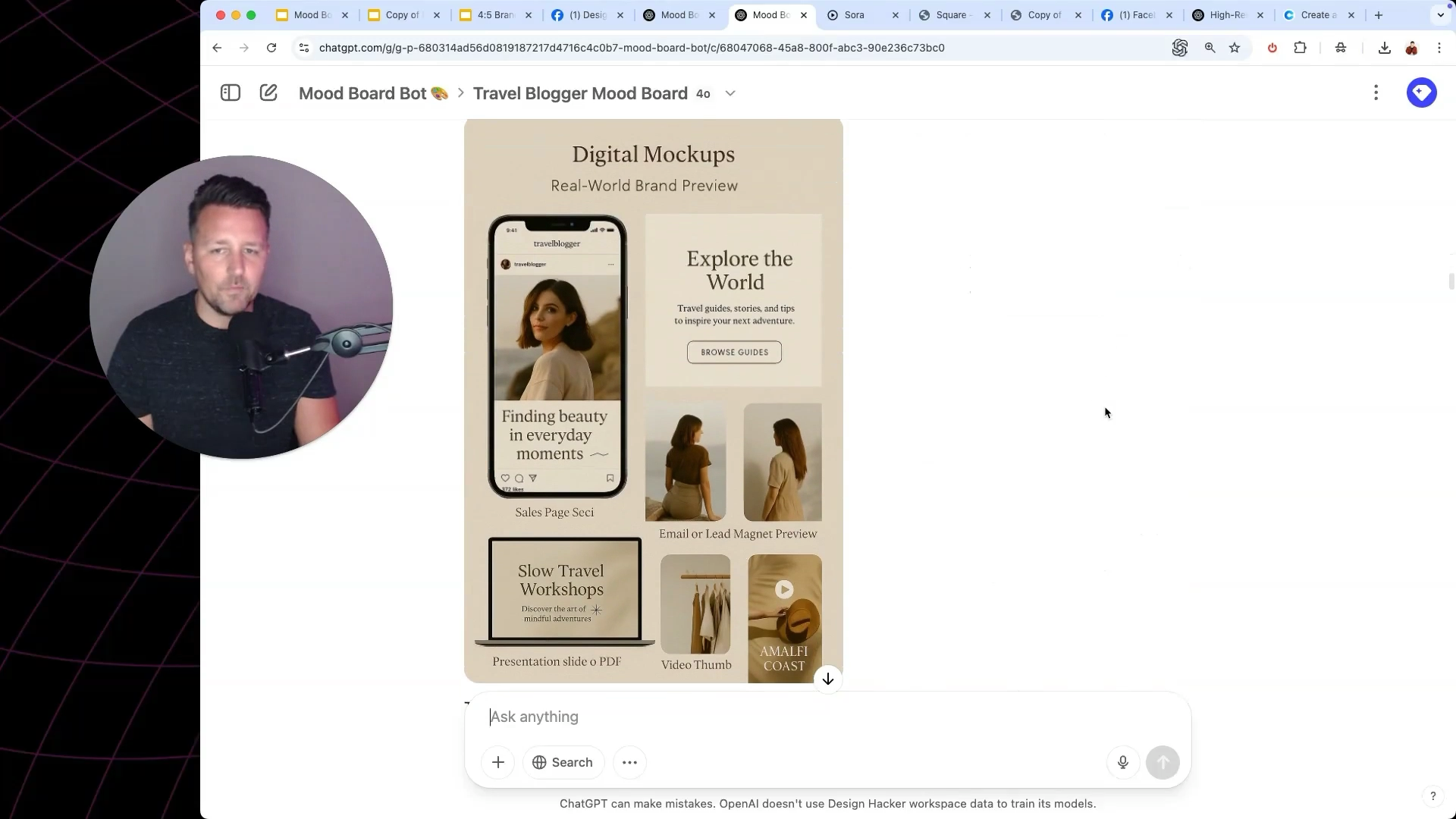
6. Build Digital Mockups
Now that you’ve got the assets, combine them into mockups. You can ask ChatGPT to show you what your brand would look like on a course platform, a sales page, a product image... whatever you need.
This is where things get real.
7. Visualize the Entire Brand Journey
This part is wild. I use ChatGPT to generate:
Paid offer sales pages
Lead magnet landing pages
Home pages
Email layouts
Social media feeds
Video scenes
Physical product mockups
In-person event designs
Testimonial walls
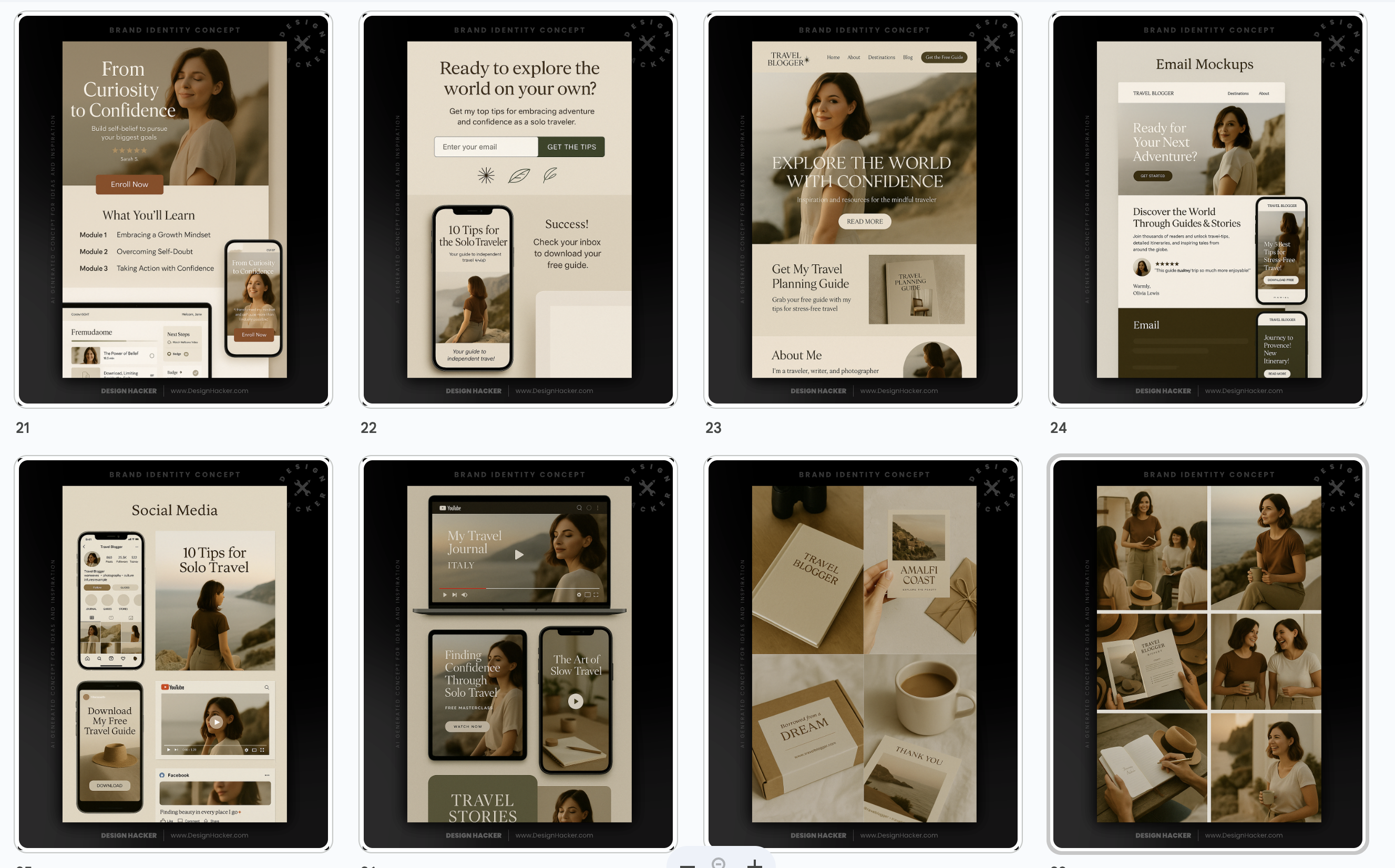
Once you’ve built your brand system once, you can reuse it in endless ways. Everything stays consistent. The visuals evolve with your ideas. And you’re not starting from scratch every time you want to make something look good.
Why This AI Branding Method Actually Works (Even if You're Not a Designer)
The key difference is how you approach it. You’re not asking AI to make one beautiful image... you’re building an entire design language.
It’s fast. It’s flexible. And it’s something you can build once and use forever.
If you want the prompts, the walkthroughs, or you just want to see how I’m using this in real projects, head over to www.BrandWithAi.com.

🔥 RECOMMENDED TRAINING:
Turn ANY Idea Into a World-Class Brand Identity In MINUTES With AI
This 3-step system uses AI to build a complete brand foundation for ANY business in just a few clicks.

Hey, I'm Andrew Lane
Founder of Design Hacker
I’ve built multiple 7-figure brands from scratch over the past 15 years. Now I’m using AI to make that process faster, smarter, and way more fun. If you want your brand to feel premium without wasting months or thousands of dollars, then this is for you!