3 Free Ways to Get Any YouTube Video Transcript (No Software Needed)
By Andrew Lane
Founder of Design Hacker
Watch on YouTube:
As someone who works with content daily, I've discovered three reliable ways to grab YouTube transcripts without spending a dime. Let me break down these methods that I personally use and trust.
Why You Might Need YouTube Transcripts
Before diving in, quick context: Video transcripts are gold for content creators, marketers, and business owners. Whether you're repurposing content, doing research, or creating summaries, having the written version of a video can save you hours of work.
Method 1: YouTubeTranscript.com
This is probably the fastest method when it works:
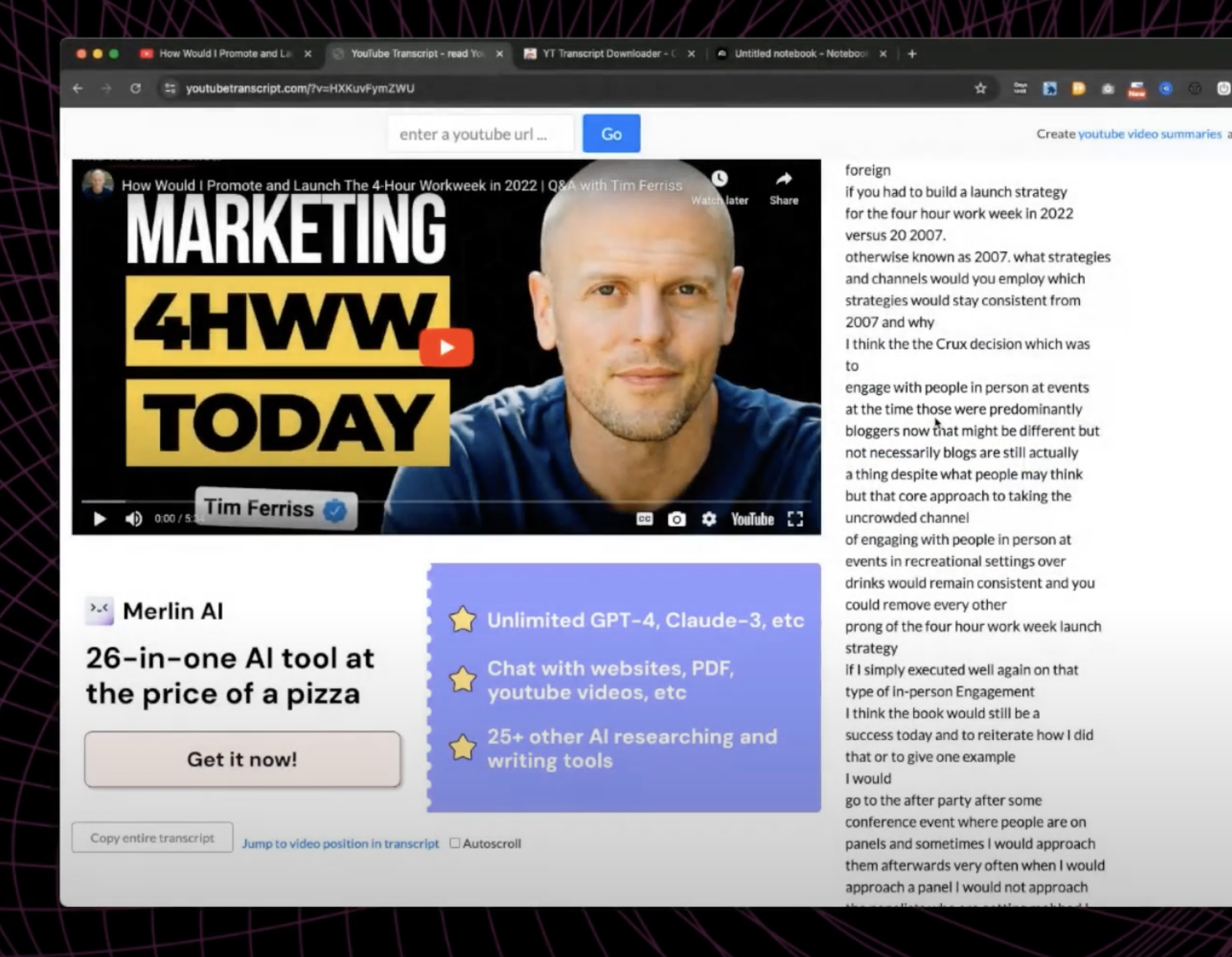
Visit YouTubeTranscript.com
Paste your YouTube video URL
Click the "Copy Entire Transcript" button in the bottom left
Done - you've got your transcript
Quick tip: While this site is super convenient, it occasionally goes down. That's why having backup methods is crucial.
Method 2: The Chrome Extension Method
This is my personal favorite because it's more reliable:
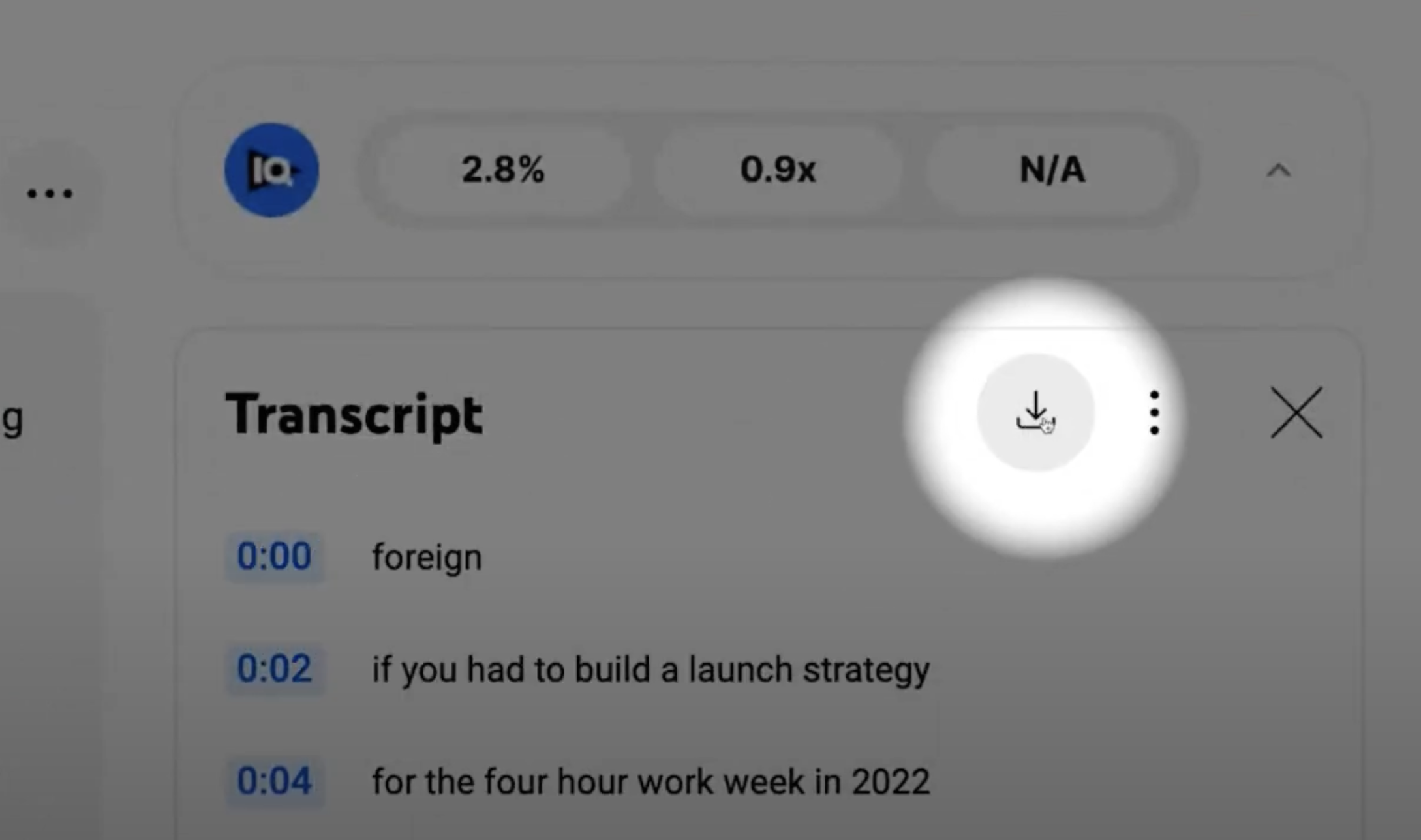
Install the "YT Transcript Downloader" Chrome extension
Go to any YouTube video
Open the video description
Click "show transcript" at the bottom
Use the download button added by the extension
Get a clean text file of the transcript
What makes this method great:
Works even when other methods fail
Downloads in clean text format
No need to copy/paste
Works with auto-generated transcripts
Method 3: Google's Notebook LM
This is the newest and most powerful option:
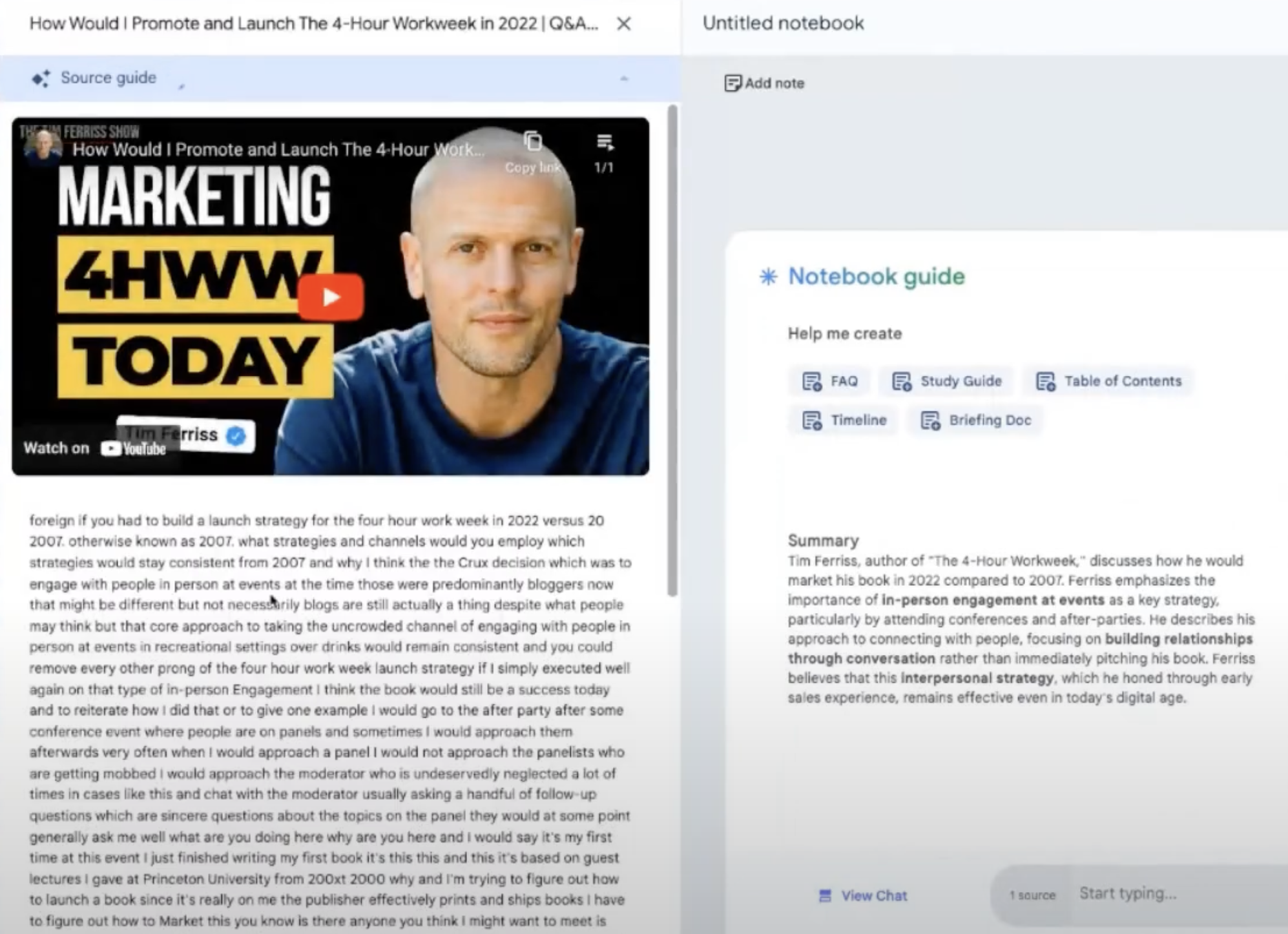
Visit Google's Notebook LM: https://notebooklm.google/
Add your YouTube video as a source
-
Get not just the transcript, but AI-powered features:
Generate summaries
Ask questions about the content
Create AI-powered podcast episodes discussing the video
Analyze content in-depth
Which Method Should You Choose?
Here's my recommendation:
For quick one-off transcripts: Try YouTubeTranscript.com first
For regular use: Install the Chrome extension
For research and content analysis: Use Notebook LM
Pro Tips for Working with Transcripts
Remember:
YouTube auto-transcribes most videos
All these methods work with auto-generated transcripts
Each method has different formatting options
Save your favorite method as a bookmark for quick access
The Future of Content Analysis
What's particularly exciting about tools like Notebook LM is how they're changing the game. We're moving beyond simple transcription into AI-powered content analysis and repurposing, making it easier than ever to work with video content.
Key Takeaways
You have three solid options for getting YouTube transcripts
Each method is completely free
Always have a backup method ready
Consider your specific needs when choosing a method
The technology keeps improving with AI integration
🔥 RECOMMENDED TRAINING:
Turn ANY Idea Into a World-Class Brand Identity In MINUTES With AI
This 3-step system uses AI to build a complete brand foundation for ANY business in just a few clicks.

Hey, I'm Andrew Lane
Founder of Design Hacker
I’ve built multiple 7-figure brands from scratch over the past 15 years. Now I’m using AI to make that process faster, smarter, and way more fun. If you want your brand to feel premium without wasting months or thousands of dollars, then this is for you!